From breakthrough wins to another step towards history, here’s a look at October sporting moments that caught our attention.
𝐊𝐢𝐩𝐜𝐡𝐨𝐠𝐞 𝐰𝐢𝐧𝐬 𝐚𝐭 𝟒𝟏
Eliud Kipchoge claimed the Melbourne Marathon title in a course-record 2:09:10 on October 11. His first marathon victory in three years.
𝐀𝐧𝐭𝐨𝐧𝐞𝐥𝐥𝐢 𝐞𝐝𝐠𝐞𝐬 𝐜𝐥𝐨𝐬𝐞𝐫 𝐭𝐨 𝐡𝐢𝐬𝐭𝐨𝐫𝐲
Kimi Antonelli’s 14th podium finish of the season in Singapore on October 11 put him within reach of becoming Formula One’s youngest world champion.
𝐂𝐚𝐧𝐚𝐝𝐚’𝐬 𝐧𝐞𝐱𝐭 𝐠𝐞𝐧𝐞𝐫𝐚𝐭𝐢𝐨𝐧 𝐦𝐚𝐤𝐞𝐬 𝐢𝐭𝐬 𝐦𝐚𝐫𝐤
Canada secured two top-10 finishes in ice dance at the Junior Grand Prix in Slovenia. Charlie Anderson and Cayden Dawson placed seventh, while Annabelle Théroux and Rafaël Gossard took ninth in their debut at the event.
𝐇𝐮𝐫𝐤𝐚𝐜𝐳 𝐠𝐞𝐭𝐬 𝐡𝐢𝐬 𝐛𝐫𝐞𝐚𝐤𝐭𝐡𝐫𝐨𝐮𝐠𝐡 𝐚𝐠𝐚𝐢𝐧𝐬𝐭 𝐃𝐣𝐨𝐤𝐨𝐯𝐢𝐜
Hubert Hurkacz defeated Novak Djokovic for the first time on October 9, winning 6–4, 6–3 in the second round of the Shanghai Masters.
𝐑𝐨𝐧𝐚𝐥𝐝𝐨 𝐡𝐞𝐥𝐩𝐬 𝐀𝐥-𝐍𝐚𝐬𝐬𝐫 𝐬𝐞𝐜𝐮𝐫𝐞 𝐯𝐢𝐜𝐭𝐨𝐫𝐲
Cristiano Ronaldo scored as Al-Nassr beat Uzbekistan’s Neftchi 3–1 in the AFC Champions League Elite on October 12.
Which sporting moment caught your attention?
Inspired by the highlights? Bring fresh ideas to your next practice with Ascend.
Blog
-

Global Sports Highlights for October 2026
-
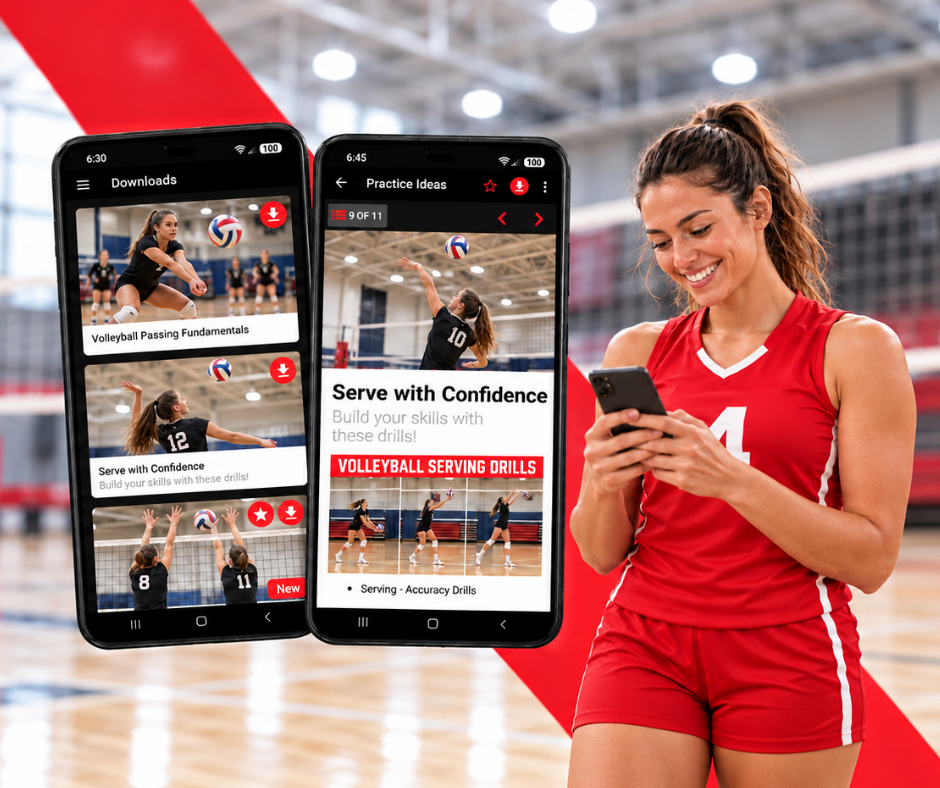
Downloads: Stay Connected to Your Training, Even Offline
A useful article can help you prepare a practice, understand a skill, or even find a different way to approach training. But the moment you want to read it may be the moment your internet connection lets you down. You may discover that the venue has no Wi-Fi or your signal has faded somewhere along the journey.
The Downloads feature in the Ascend app lets you download articles and view them offline. By downloading the content you need while you have an internet connection, you can return to it later, wherever your training takes you.
Prepare Before You Arrive
For coaches, preparation often starts well before a session. You might read an article while planning your practice, then want to revisit it at the venue to refresh your understanding of a technique or coaching approach.
Downloading that article beforehand gives you a reference you can read without relying on the venue’s internet connection. Whether you are reviewing an explanation before your athletes arrive or checking a detail during a break, the information is available when you need it.
This can be particularly helpful when visiting an unfamiliar facility. You may know what equipment to bring and how much time you have, but reliable reception is harder to predict. Making Downloads part of your preparation gives you one less thing to arrange when you get there.
Keep Learning Between Sessions
Athletes can use Downloads to make learning part of the time between practices. An article about a skill you are developing may be easier to absorb when you have a quiet moment to read and reflect.
That moment could happen on the way to training, while travelling to a competition, or during a break in your day. Downloading articles in advance lets you use those opportunities even when you cannot get online.
You can return to an explanation at your own pace, consider how it relates to your training, and bring questions to your next session. Reading becomes more useful when you have time to connect the information with something you have experienced or want to improve.
Choose Content With a Purpose
A helpful place to start is with the articles that support what you are working on now. For a coach, that might be content related to the next practice or a challenge the team is facing. For an athlete, it could be guidance on a technique that needs more attention.
Choosing a few relevant articles makes your offline reading manageable. Instead of trying to work through everything, you can focus on information you are likely to revisit and apply.
As your goals change, take a moment to consider what you will need for the next session or trip. Download those articles while you are connected, and open them before leaving to check that they are ready for offline viewing.
Bring Ideas Into Practice
Access to an article is only the beginning. Its value comes from what you do with the information: a coaching adjustment, a clearer understanding of a movement, or a question that leads to a useful conversation.
Downloads helps keep that connection between reading and training within reach. You can revisit an idea closer to the moment you want to use it, without waiting for a stronger signal.
Before your next practice or trip, download a few articles in the Ascend app. Keep useful training knowledge close, and continue learning wherever you go even if you’re offline.
-
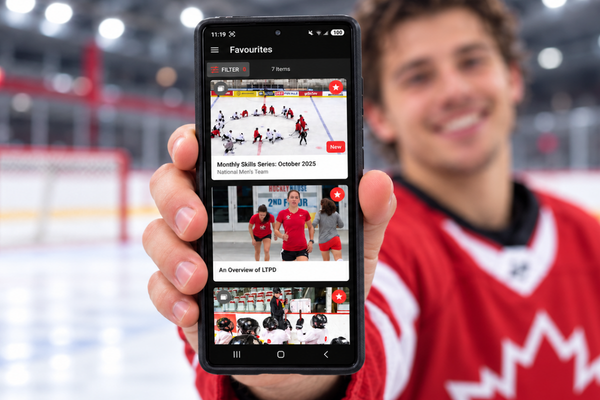
Discover Favourites! Keep the Content That Matters to Your Training Within Reach
A useful article often finds you before you need it. You might be reading between practices when a coaching tip catches your attention, or exploring a skill when an explanation finally makes something click. You recognise its value, but your next session is still days away. By the time you want to use it, you may have forgotten where you found it.
Whether you are planning your next practice or working on a skill, the Ascend app gives you a place to explore content and keep helpful ideas close at hand. With the Favourites feature in the app, you can save articles that matter to your goals and return to them when you are ready to put what you have learned into action. All you need to do is press the ‘star’ icon and the article automatically becomes part of your Favourites folder.
Keeping that content within reach helps you carry an idea from the moment you discover it to the moment you can put it into practice.
Give Good Ideas Somewhere to Go
Coaches are constantly gathering ideas. An article might offer a different way to explain a movement, encourage participation, or approach a challenging conversation with an athlete. Some ideas fit immediately into your plans, while others need the right opportunity.
Saving an article gives you somewhere to keep that possibility. If your team is working on communication, for example, you can save relevant coaching guidance and return to it before your next practice. Reading it again with your athletes’ needs in mind can help you decide which advice is useful and how to adapt it to your group.
Your Favourites folder can also support preparation across several sessions. As a team’s goals develop, you can gather articles that connect with those priorities. Having them together makes it easier to revisit an approach, refresh your understanding, and bring a considered idea into practice.
Build a Resource for Your Own Development
For athletes, useful information can become more meaningful as training progresses. An explanation that seems straightforward when you first read it may raise new questions once you have tried the skill yourself.
Saving that article allows you to return with experience. You might notice a detail you overlooked, understand an instruction more clearly, or find language for a question you want to ask your coach. Reading becomes part of an ongoing exchange between learning about a skill and practising it.
Your saved content can reflect what you are working towards, whether that means understanding technique, developing confidence, or finding a more thoughtful approach to preparation. As your priorities change, the articles you choose to save can change with them.
Turn a Saved Article Into a Useful Action
The value of Favourites grows when you make a habit of returning to what you have saved. Before a practice, take a few minutes to open your folder and revisit an article connected to the session ahead.
Choose one idea to explore. A coach might try a different explanation during a drill, while an athlete might bring a specific question to training. Keeping the action manageable gives you room to observe what happens and decide whether the approach helps.
Afterwards, you can return to the article and consider it alongside your experience. Did the advice fit the situation? Does it need adapting? Is there something you understand differently now? Those questions help connect the information you read with the decisions you make.
Keep Your Goals Close
Ascend gives you the option curate. Start with the content that speaks to a current goal, answers a question, or offers something you would like to explore. A thoughtful selection gives you a useful place to return when you need guidance or inspiration.
Over time, your Favourites folder can grow alongside your training, bringing together ideas that remain relevant as you learn and develop.
Next time an article in the Ascend app gives you something to think about, tap the star. Keep it within reach, revisit it with purpose, and give that idea a chance to shape your own next practice.
-
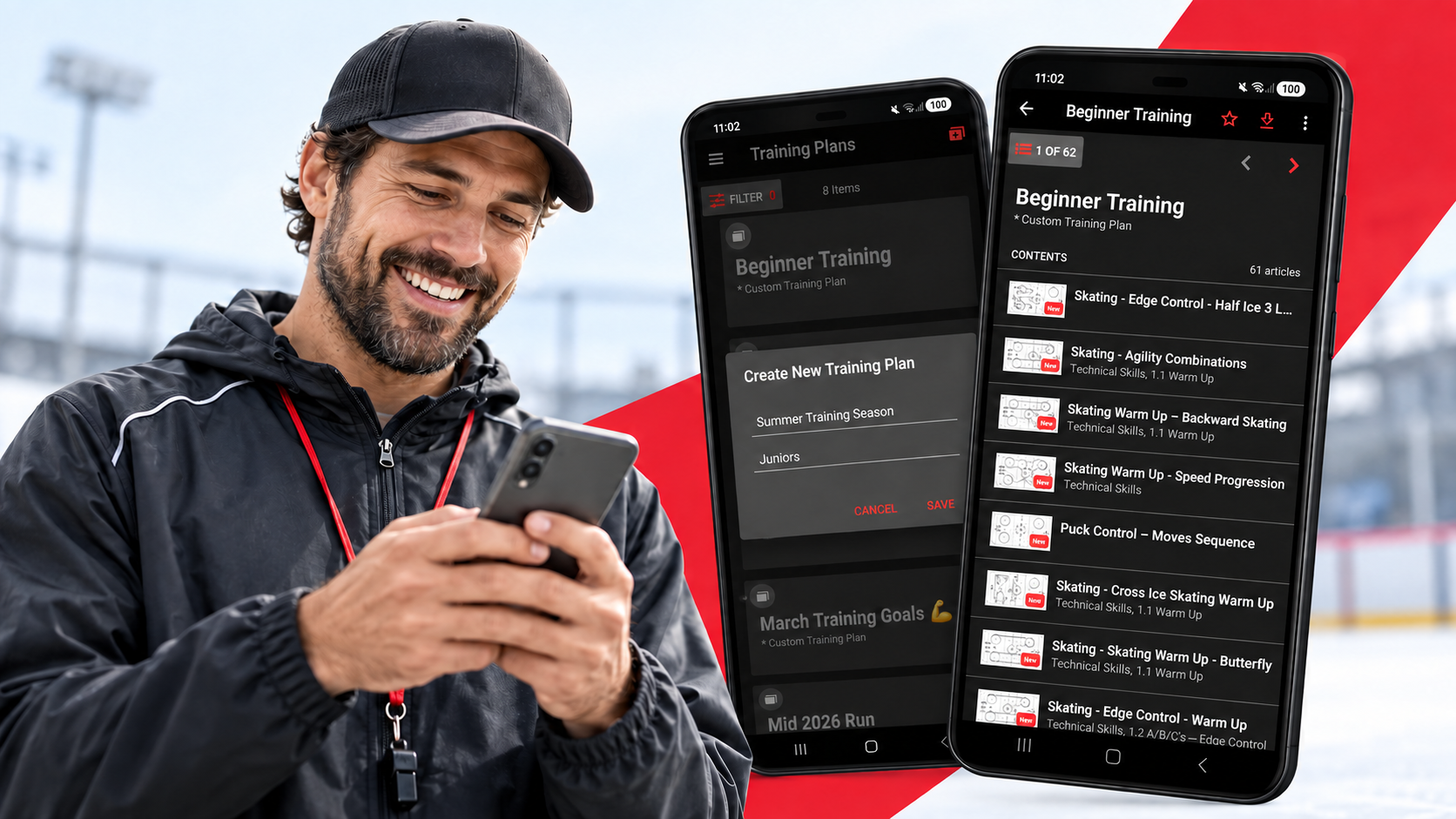
Your Next Practice Starts with a Solid Training Plan
A good practice can look effortless from the sidelines. Athletes move from one activity to the next, instructions are clear, and each drill seems to build on the last. Behind that flow is often a coach who has thought through what the team needs and how to make the most of their time together.
Planning does not mean scripting every minute. It means arriving with a purpose. Maybe your team needs to improve a particular skill, revisit something that proved difficult in the last game, or build confidence before the season begins. A training plan gives those ideas a place to take shape.
Start With One Clear Goal
Before choosing drills, ask yourself what you want athletes to gain from the session. Keep the answer specific enough to guide your choices. “Improve passing” is a start, but “make quicker passing decisions under pressure” gives you a clearer direction.
That goal can help you decide which activities belong in the practice and how they should fit together. You might begin with a simple drill that introduces the skill, then add a more demanding activity that asks athletes to use it in motion or with teammates. By the end of the session, you have a way to see what is improving and what needs more attention.
A plan also helps when you have several priorities competing for practice time. You can choose the most useful focus for today and save other ideas for a future session.
Keep Your Resources Together
Coaches collect useful material from many places: a drill they want to try, a video that explains a technique, or a coaching resource that sparks a new approach. The challenge is finding the right item when it is time to prepare or step onto the field or ice.
In the Ascend app, you can create a Training Plan, give it a name that fits your team or season, and add the drills and coaching resources you want to use. Your selections stay organised in one place, making it easier to review the session before practice and find what you need while coaching.
You might name a plan after a specific goal, such as “Defensive Positioning,” or create one for a group, such as “Junior Team: Week One.” A useful name makes the plan easier to recognise when you return to it.
Make Room to Adapt
Even a thoughtful plan may need to change once practice begins. Athletes might grasp a skill faster than expected, or an activity might reveal that they need more time with the basics. Weather, attendance, available space, and energy levels can also affect what works on the day.
Having a plan gives you a starting point for those decisions. You know what you hoped to accomplish, which drills support that goal, and what you can adjust if the group needs something different. You can spend less time searching through materials and more time watching how your athletes respond.
After practice, take a moment to reflect. Which activity helped the most? Where did athletes struggle? What would you repeat or change next time? Those observations can guide the next Training Plan and help each session build on what came before.
Build Toward Something Bigger
One practice can introduce a skill. A series of practices can give athletes the time and repetition to develop it. Training plans help you connect individual sessions to longer goals, whether you are preparing for a new season, supporting a developing team, or working toward a particular challenge.
They can also make your coaching decisions easier to communicate. When you know the purpose behind each activity, you can explain to athletes what they are working on and why it matters. That sense of direction helps the whole team approach practice with intention.
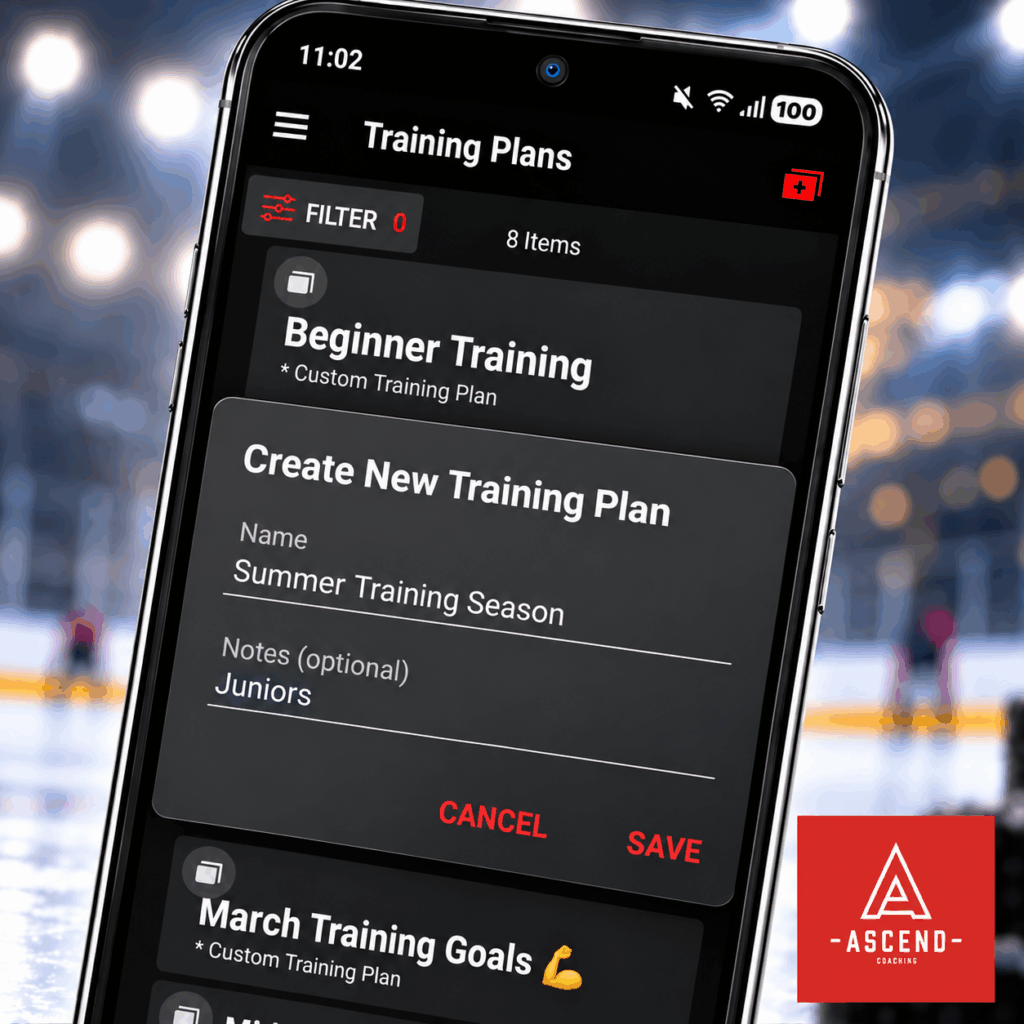
Your next session does not need a complicated plan. Start with one goal, choose a few drills and resources that support it, and give yourself room to respond to the team in front of you.
Open Training Plans in the Ascend app and build your next coaching session. Bring your ideas together, step into practice prepared, and turn your game plan into action.
-
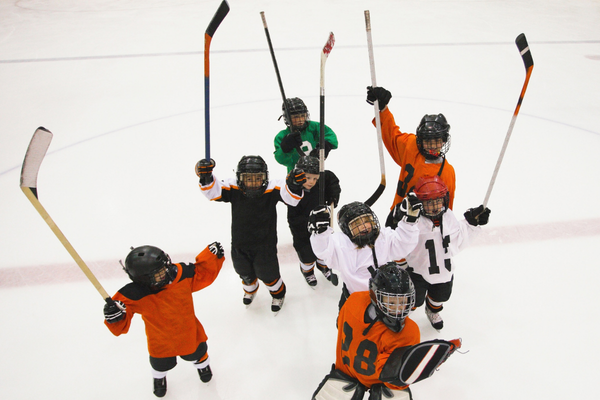
Let Them Try: Why Sampling Different Sports Matters
Choosing a sport can feel like an important decision for a young athlete and their family. With competitive leagues, development programs, scholarships, and professional pathways often receiving attention, there can be pressure to identify the “right” sport as early as possible.
However, young athletes do not always know what suits them after a single season. They may need time to explore different environments, learn new skills, and understand what genuinely excites them. Sampling several sports before specializing gives them the freedom to discover where they feel most motivated, capable, and connected.
Discovering Genuine Interest
A young athlete may initially choose a sport because friends are playing, a family member enjoys it, or a famous athlete has inspired them. These are perfectly good reasons to begin, but they do not necessarily indicate a lasting passion.
Trying different sports allows young athletes to compare experiences. One may enjoy the constant movement and teamwork of soccer, while another may prefer the individual focus of swimming. Some may thrive in fast-paced competition, while others feel more engaged in sports that reward patience, precision, or strategy.
The goal is not to immediately find the sport in which they perform best. It is to notice which activity makes them eager to return. Genuine enthusiasm often appears in simple ways: talking about practice afterward, wanting to improve a skill, or continuing to play without being reminded.
Building a Wider Range of Skills
Different sports develop different physical and mental abilities. Basketball can strengthen coordination, spatial awareness, and quick decision-making. Gymnastics can build balance and body control. Swimming supports endurance, while martial arts may develop concentration, discipline, and confidence.
When young athletes participate in several activities, they build a broader athletic foundation. Skills learned in one sport may also transfer to another. Agility developed through soccer may help on a tennis court, while the timing learned in volleyball may support future success in basketball.
Variety also encourages adaptability. Young athletes learn how to respond to different coaches, teammates, rules, and competitive situations. These experiences can make them more versatile and confident when they eventually decide to focus on one sport.
Reducing Pressure and Burnout
Specializing too soon can sometimes turn an enjoyable activity into an obligation. Repeating the same training schedule throughout the year may lead to mental fatigue, declining motivation, or frustration when progress slows.
Sampling sports gives young athletes room to refresh their interest. A different season introduces new challenges and allows heavily used movement patterns to rest. It can also remind them that sport is not only about rankings, selection, or future opportunities. It is also about play, friendship, curiosity, and personal growth.
Parents and coaches can support this process by asking open questions. Instead of focusing only on scores or results, they might ask:
- What did you enjoy most today?
- What skill would you like to learn next?
- Did you feel comfortable with your coach and teammates?
- Would you choose to play this sport again?
The answers can reveal more than a win-loss record.
Knowing When Specialization Makes Sense
Sampling does not mean avoiding commitment forever. As young athletes mature, some will naturally develop a strong preference. They may begin requesting additional practice, seeking more advanced coaching, or setting personal goals within a particular sport.
At that point, specialization can become a thoughtful next step rather than a decision made for them. Families should consider not only ability, but also motivation, physical readiness, coaching quality, time demands, costs, and the athlete’s overall well-being.
A possible career should be approached as a pathway, not a promise. Professional competition is only one future within sport. Experience can also lead toward coaching, officiating, athletic therapy, sports science, management, media, or community development. The lessons gained through participation remain valuable even when the original goal changes.
Supporting Every Stage with Ascend
As young athletes explore different sports, clear communication and organized development can help them understand their progress. Ascend gives coaches a central place to share training plans, instructional resources, feedback, and team updates. This makes it easier to create structured experiences while adapting support to each athlete’s changing interests and needs.
The right sport is not always the first one a young athlete tries, or even the one in which they win first. Sometimes the most meaningful beginning is simply having the freedom to step onto different fields, courts, tracks, and pools until one of them feels like a place worth returning to.
-
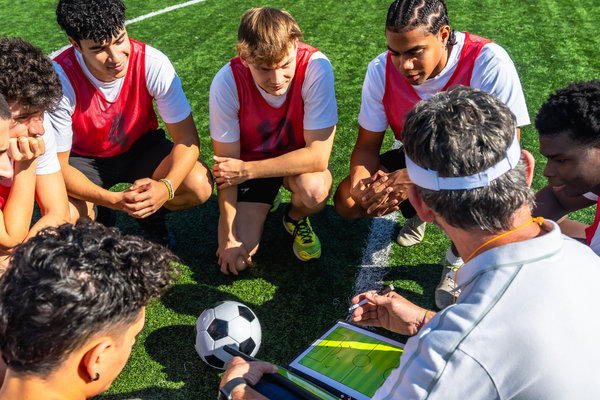
From Coaching Binder to Digital Coaching Library | Part 3 | Build a Coaching System That Works for You
You’ve cleaned up your coaching resources. You’ve digitized your most-used drills and practice plans. Now comes the part that makes the biggest difference:
Using your digital library as part of your everyday coaching.
Going digital shouldn’t simply mean carrying your binder on your phone. The real opportunity is to create a coaching system that makes your resources easier to access, adapt, and improve.
Build Practice Plans From Reusable Resources
Once your drills are organized, you can start treating them as building blocks.
Instead of creating every practice plan from scratch, combine resources based on what your athletes need.
For example:
Warm-Up → Passing → Shooting → Small-Sided Game
Next week, you might keep the same structure but replace the passing activity with a more advanced variation.
Your library becomes a collection of resources you can mix and match.
Make Adjustments for Your Athletes
Not every team, or every athlete, needs the same session.
A digital practice plan is easier to adjust when you need to:
- Increase or decrease difficulty
- Change the duration of an activity
- Substitute an exercise
- Add a progression
- Adapt a drill for a different skill level
Instead of rewriting an entire practice plan, you can make changes to individual activities.
Keep Your Resources With You
One of the simplest benefits of a digital coaching library is accessibility.
Instead of bringing a binder filled with papers to practice, your coaching resources can be available on your phone or tablet.
- Need to check the next activity?
- Want to review the coaching points for a drill?
- Need a different activity because something isn’t working?
Your resources are available when you need them.
The goal isn’t to spend more time looking at a screen.
It’s to spend less time searching for information.
Keep Improving Your Library
Your coaching knowledge doesn’t stop growing once your binder has been digitized.
You may learn a better way to teach a skill, discover a new activity, or change a practice based on what works for your athletes.
Update your digital resources as you learn.
Instead of adding another piece of paper to your binder, improve the resource that’s already there.
Over time, your digital library becomes a reflection of your coaching experience.
Prevent Digital Clutter
A digital library can become just as messy as a physical binder if you don’t maintain it.
Every few months, take a little time to:
- Remove duplicates
- Archive outdated resources
- Update old practice plans
- Review your tags
- Improve resource names
- Keep frequently used materials easy to find
You don’t need a complicated system.
You just need a system you’ll actually maintain.
From Binder to Coaching System
Your physical binder contains years of knowledge and experience. Digitizing it gives you an opportunity to make that knowledge more useful.
Instead of searching through pages, you can search by skill or training objective.
In place of rewriting practice plans, you can adapt existing resources. Instead of letting your best drills become buried in a binder, you can build a coaching library that grows with you and your athletes.
That’s the real difference between digitizing your binder and building a digital coaching system.
Ready to Take Your Coaching Digital?
A coaching platform like Ascend can bring training plans, drills, videos, and other coaching resources together in one place—giving coaches a more organized way to plan, deliver, and adapt training.
Your coaching knowledge shouldn’t be stuck in a binder. Build a library that works as hard as you do.
-
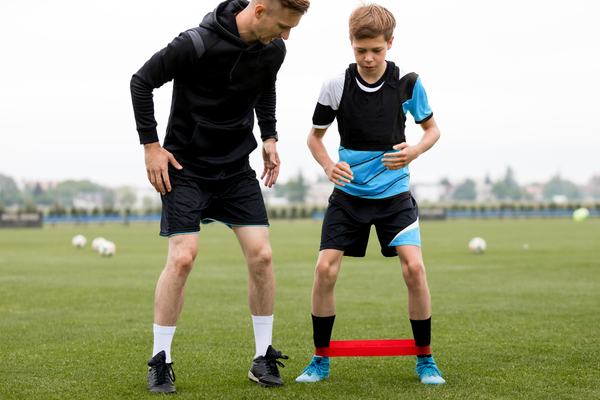
Creating Training Plans That Adapt to Real Life
A good training plan gives athletes structure, direction, and measurable goals. However, even the most carefully designed program can be disrupted by real life. Injuries happen, school or work schedules change, facilities become unavailable, and personal challenges can affect an athlete’s ability to train.
For this reason, an effective training plan should not be treated as a fixed set of instructions. It should be a flexible framework that can adapt to the athlete’s circumstances while continuing to support meaningful progress.
Why Flexibility Matters
Athletes do not develop in perfectly predictable conditions. A program may look ideal on paper but become unrealistic when an athlete misses several sessions, experiences fatigue, or needs more recovery time than expected.
Rigidly following the original plan can create unnecessary pressure. An athlete may attempt to make up missed sessions, train through pain, or feel discouraged because they have fallen behind. Instead of supporting development, the plan can become another source of stress.
Flexible coaching recognizes that adjusting a program is not the same as abandoning it. The overall goal remains in place, but the route toward that goal may change.
Adapting to Injuries and Recovery
When an athlete is injured, the priority should be safe recovery. Coaches should work within the recommendations of qualified healthcare professionals and avoid encouraging athletes to return before they are ready.
Depending on the injury, a training plan may be adjusted to include modified exercises, lower-impact activities, mobility work, or additional recovery sessions. Coaches can also use this period to develop areas that do not aggravate the injury, such as tactical understanding, visualization, or sport-specific decision-making.
It is equally important to acknowledge the emotional side of injury. Athletes may feel isolated, frustrated, or worried about losing progress. Keeping them involved with the team and giving them achievable goals can help maintain their confidence and sense of purpose.
Responding to Schedule Changes
Many athletes balance training with school, work, family responsibilities, and other commitments. Coaches may not be able to remove these pressures, but they can design programs that account for them.
When time is limited, shorter and more focused sessions may be more useful than expecting athletes to complete the original workload. Coaches can identify the highest-priority activities and distinguish between essential sessions and optional work.
Providing alternatives also gives athletes more control. A conditioning session might be completed at home, for example, while a technical session could be rescheduled for a day when the appropriate facility or equipment is available.
Considering Personal Challenges
Not every disruption is visible. Stress, grief, financial difficulties, family concerns, and mental fatigue can all influence an athlete’s ability to train and perform.
Coaches do not need to solve every personal problem, but they should create an environment where athletes feel comfortable communicating when they are struggling. A respectful conversation can help the coach understand whether the athlete needs a reduced workload, additional recovery, or simply time away from training.
This approach does not mean removing accountability. It means setting expectations that are realistic for the athlete’s current situation.
Reviewing Progress Regularly
Flexible training plans depend on regular evaluation. Coaches should look beyond attendance or completed sessions and consider how the athlete is responding physically and emotionally.
Useful questions include:
- Is the athlete recovering well between sessions?
- Does the current workload remain appropriate?
- Are the athlete’s goals or circumstances changing?
- Which parts of the program are producing progress?
- What barriers are making the plan difficult to follow?
Small, timely adjustments can prevent larger problems later. They also show athletes that a training plan is a collaborative process rather than a rigid checklist.
Structure That Can Evolve
The strongest training plans provide clear direction while leaving room for change. When coaches respond thoughtfully to injuries, scheduling conflicts, and personal challenges, athletes are more likely to remain engaged and make sustainable progress.
Ascend helps coaches create, organize, and share training plans in one accessible place. As athletes’ needs change, programs can be updated to keep everyone aligned with the latest training direction. With better visibility and communication, coaches can provide the structure athletes need without losing the flexibility that real life requires.
Ultimately, the best training plans are not those followed perfectly, but those that continue to serve the athlete as circumstances change. By balancing clear goals with empathy, communication, and regular review, coaches can help athletes remain confident and committed through setbacks and transitions. Flexibility allows progress to continue in a way that is realistic, safe, and sustainable.
-
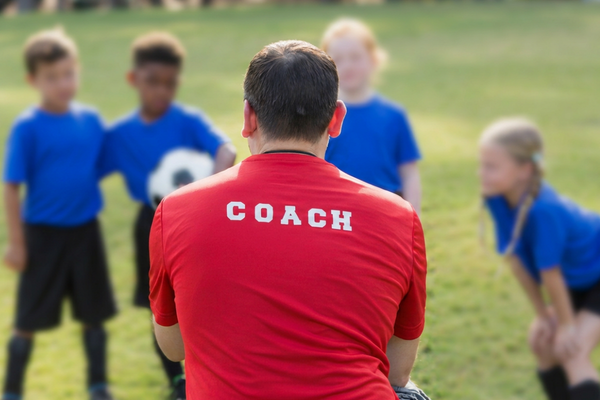
Why Every Athlete Responds Differently to Feedback
Feedback is one of a coach’s most important tools. A well-timed correction can improve technique, strengthen confidence, and help an athlete reach the next stage of development. However, feedback does not affect every athlete in the same way. A direct instruction may motivate one athlete but cause another to become anxious or discouraged.
Effective coaching therefore requires more than knowing what to say. Coaches must also understand how, when, and where to say it.
Why Athletes Process Feedback Differently
An athlete’s response to feedback can be influenced by personality, age, confidence, previous experiences, and preferred ways of learning. Some athletes want detailed explanations and need to understand why a particular adjustment matters. Others learn more effectively by watching a demonstration and immediately trying the movement themselves.
Confidence also plays an important role. A self-assured athlete may be comfortable receiving direct criticism, while an athlete who is already questioning their abilities may hear the same correction as confirmation that they are failing. Stress, fatigue, fear of disappointing others, and pressure to perform can further affect how feedback is received.
Recognizing these differences does not mean labelling athletes or making assumptions about them. It means paying attention to how each individual communicates, learns, and reacts.
Recognizing Different Responses
Athletes often reveal their feedback preferences through their behaviour. One athlete may ask several questions because they need more detail. Another may become quiet while processing the information. Some athletes respond defensively, while others immediately agree but remain unsure about what they are expected to change.
Coaches should avoid interpreting every negative reaction as laziness, disrespect, or lack of commitment. An athlete who looks away may feel embarrassed. An athlete who argues may not understand the instruction. Someone who repeatedly makes the same mistake may need the skill demonstrated differently.
Observation allows coaches to identify what helps each athlete understand and act on feedback.
Adapting the Coaching Approach
The goal of feedback should remain consistent, but the way it is delivered can change.
Analytical athletes may benefit from an explanation of why a correction matters and how it affects performance. Visual learners may respond better to a demonstration, diagram, or video replay. Younger athletes often need short, concrete instructions focused on a single action.
Athletes who lack confidence may need their progress acknowledged before receiving a correction. For example, a coach might say, “Your positioning has improved. On the next attempt, focus on keeping your head up.” This recognizes development while providing a clear next step.
More experienced or highly motivated athletes may prefer direct and challenging feedback. Even then, corrections should remain specific and respectful rather than personal.
Choosing the Right Moment
Timing and setting can determine whether feedback helps or harms. Immediate feedback is often useful when correcting a technical movement during practice. However, emotional or sensitive feedback may be better delivered privately or after the athlete has had time to recover from a difficult performance.
Public feedback can create embarrassment, especially when it focuses on an individual mistake. Coaches should consider whether the athlete will benefit from hearing the correction in front of the team or whether a private conversation would be more productive.
It is also important to avoid overwhelming athletes with too much information. Correcting several things at once can leave an athlete unsure where to begin. One clear adjustment followed by another opportunity to practise is usually more effective.
Making Feedback Actionable
Useful feedback tells an athlete what happened and what to do next. Comments such as “focus,” “do better,” or “try harder” do not provide enough direction.
A coach can make feedback actionable by describing the observation, explaining its effect, and offering one specific adjustment. For example: “Your weight remained on your back foot, which reduced your power. On the next attempt, shift your weight forward as you make contact.”
The coach can then ask the athlete what the movement felt like or invite them to explain the instruction in their own words. This turns feedback into a conversation and helps confirm understanding.
Monitoring Progress Over Time
Feedback becomes more valuable when coaches can see whether it leads to improvement. Keeping a record of observations, training goals, and athlete responses can help coaches identify patterns and decide when their approach needs to change.
A coaching platform such as Ascend can make this process easier by bringing training plans, athlete progress, and coaching resources into one place. Instead of relying entirely on memory, coaches can follow an athlete’s development over time and provide feedback based on a clearer picture of their progress.
Adapting feedback does not mean lowering standards or treating athletes unfairly. It means giving each athlete the communication and support they need to work toward the same expectations.
The most effective coaches do more than correct skills. They learn how their athletes think, communicate, and grow. By listening, observing, and monitoring progress, coaches can make feedback a source of confidence, understanding, and lasting development.
-
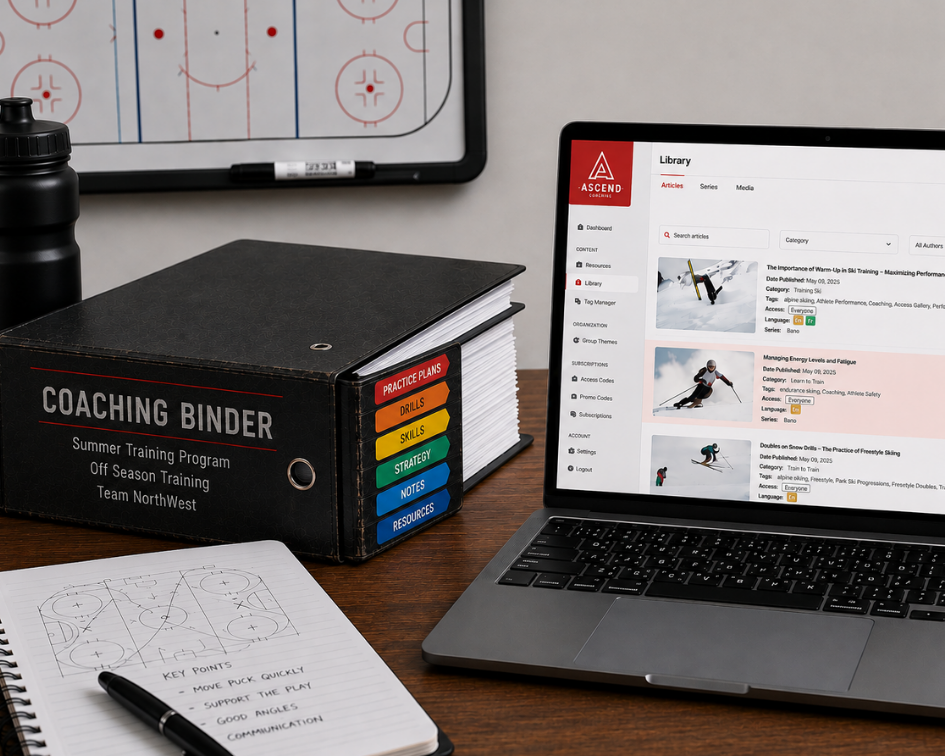
From Coaching Binder to Digital Coaching Library | Part 2 | Bring Your Resources Into the Digital World
How to Digitize Your Coaching Resources
Once you’ve sorted through your coaching binder, the next step is moving your resources into a digital environment.
It can be tempting to simply scan every page or take photos of your binder. But digitizing your coaching resources isn’t just about creating electronic copies of your paperwork.
The goal is to turn your resources into content you can actually find, reuse, and adapt.
1. Start With Your Most-Used Resources
Don’t try to transfer everything at once.
Start with the drills, practice plans, and resources you use most often. This gives you a useful digital library right away while allowing you to gradually transfer older materials.
For example, start with:
- Your top 10 drills
- Your current practice plans
- Your most-used skill activities
- Resources for your current age group
Once those are in place, you can build from there.
2. Don’t Just Photograph the Page
A photo of a paper drill is technically digital, but it doesn’t necessarily make the information easier to use.
When possible, turn your resources into structured digital content.
Instead of uploading a page that says:
Passing Drill
with several paragraphs of instructions, organize the information into sections such as:
Objective: Improve passing accuracy
Skill Level: Intermediate
Duration: 15 minutes
Equipment: Cones and balls
Instructions: Step-by-step activity
Coaching Points: What to watch forNow the resource is easier to understand and can potentially be reused in different practice plans.
3. Use Tags and Categories
One of the biggest advantages of digital resources is that you don’t have to remember exactly where something is stored.
Use tags or categories to describe your resources.
A single drill might be tagged:
Passing | U15 | Intermediate | Skill Development | 15 minutes
That gives you multiple ways to find it later.
If you need a 15-minute activity for an intermediate U15 session, you can search based on those criteria instead of flipping through pages.
4. Turn Practice Plans Into Reusable Resources
Your practice plans don’t have to remain fixed documents.
Look at each plan and identify the individual activities inside it.
A single practice might include:
Warm-Up → Passing Drill → Skill Development → Small-Sided Game
Each activity can become its own reusable resource.
That means you can take the same passing drill and use it in several different practice sessions without recreating it from scratch.
5. Adapt Resources for Different Skill Levels
A good activity may work for beginners, intermediate athletes, and advanced players—but the activity may need to change.
Your digital resources can include variations.
For example:
Beginner: Reduce the distance and simplify the movement.
Intermediate: Add movement and decision-making.
Advanced: Add defenders, speed, or additional constraints.
Instead of maintaining multiple paper copies, you can build variations into your digital resource and adapt it when needed.
6. Build Your Digital Library Gradually
Don’t worry about having a perfect digital library on day one.
Think of it as a collection that grows over time.
Every time you create a new drill, improve a practice plan, or discover a useful activity, add it to your library.
Eventually, you’ll have something much more valuable than a digital copy of your binder: a collection of coaching resources that can be searched, adapted, and reused.
7. Make Your Resources Work Harder
The real benefit of digitizing your coaching resources isn’t simply having fewer papers to carry.
It’s being able to find the right resource when you need it, adapt it for your athletes, and use it again in a different situation.
Once your drills and practice plans are organized digitally, you can start building complete training sessions from those reusable resources.
-

Injury Prevention Starts Before the Game: Building Safer Training Habits
For athletes, injury prevention doesn’t begin when something starts to hurt. It begins long before game day with the habits built into everyday training.
While injuries can never be completely eliminated from sport, athletes and coaches can take meaningful steps to reduce unnecessary risk. A thoughtful approach to warm-ups, mobility, strength, recovery, and training habits can help athletes prepare their bodies for the demands of competition while building greater confidence and consistency along the way.
Start With a Purposeful Warm-Up
A warm-up should be more than a few minutes of light jogging before practice. A well-designed warm-up gradually prepares the body for the movements and intensity ahead.
Dynamic movements such as lunges, leg swings, controlled skips, arm circles, and sport-specific drills can increase body temperature while preparing muscles and joints for activity. Coaches can also use warm-ups as an opportunity to reinforce movement patterns athletes will use during practice or competition.
The goal isn’t simply to “get warm.” It’s to help athletes transition safely from rest to movement.
Build Mobility Into Training
Good mobility allows athletes to move through the ranges of motion required by their sport. When mobility is limited, athletes may compensate by placing additional stress on other areas of the body.
Mobility work doesn’t have to be complicated or time-consuming. Incorporating controlled movements into warm-ups, cooldowns, and regular training can help athletes maintain movement quality. Coaches should focus on movements that are relevant to the athlete’s sport, position, age, and individual needs.
Mobility should support performance not become another task athletes rush through.
Strengthen the Foundation
Strength training is another important part of injury prevention. Developing strength can help athletes better handle the forces, changes of direction, jumps, impacts, and repetitive movements associated with their sport.
A strong training foundation should include more than sport-specific muscles. Exercises that develop the core, hips, legs, shoulders, and other supporting muscle groups can help athletes develop stability and control.
For younger athletes especially, strength training should be age-appropriate and focused on proper technique, movement quality, and gradual progression rather than simply lifting heavier weights.
Recovery Is Training, Too
One of the easiest parts of training to overlook is recovery. Athletes sometimes view rest as lost training time, but recovery is when the body has an opportunity to adapt to the demands placed on it.
Adequate sleep, hydration, nutrition, rest days, and appropriate cooldowns all contribute to recovery. Coaches should also pay attention to signs that an athlete may not be recovering well, including persistent soreness, unusual fatigue, declining performance, changes in mood, or difficulty concentrating.
More training isn’t always better training. The goal is to find the right balance between challenge and recovery.
Create Better Training Habits
Injury prevention ultimately comes down to consistency. Athletes benefit from gradually increasing training demands rather than making sudden changes in intensity, volume, or frequency.
Coaches can help by creating an environment where athletes feel comfortable communicating when something doesn’t feel right. Reporting pain or discomfort shouldn’t be treated as weakness. Early communication can give coaches and appropriate health professionals an opportunity to address potential problems before they become more serious.
The safest athletes aren’t necessarily those who avoid challenging training. They’re athletes who prepare intelligently, listen to their bodies, and understand that long-term development matters more than a single practice or competition.
Build Injury Prevention Into the Plan
Creating safer training habits is easier when preparation, training, and recovery are part of a consistent plan. Tools like Ascend can help coaches organize training resources and build structured development plans that keep athletes progressing with purpose.
Because injury prevention isn’t a single drill or a one-time conversation. It’s a coaching mindset built into every practice, every training plan, and every step of an athlete’s development.
Prepare well, train smart, and recover intentionally.