Tag: coach training plans

  • Your Next Practice Starts with a Solid Training Plan

    Your Next Practice Starts with a Solid Training Plan

    A good practice can look effortless from the sidelines. Athletes move from one activity to the next, instructions are clear, and each drill seems to build on the last. Behind that flow is often a coach who has thought through what the team needs and how to make the most of their time together.

    Planning does not mean scripting every minute. It means arriving with a purpose. Maybe your team needs to improve a particular skill, revisit something that proved difficult in the last game, or build confidence before the season begins. A training plan gives those ideas a place to take shape.

    Start With One Clear Goal

    Before choosing drills, ask yourself what you want athletes to gain from the session. Keep the answer specific enough to guide your choices. “Improve passing” is a start, but “make quicker passing decisions under pressure” gives you a clearer direction.

    That goal can help you decide which activities belong in the practice and how they should fit together. You might begin with a simple drill that introduces the skill, then add a more demanding activity that asks athletes to use it in motion or with teammates. By the end of the session, you have a way to see what is improving and what needs more attention.

    A plan also helps when you have several priorities competing for practice time. You can choose the most useful focus for today and save other ideas for a future session.

    Keep Your Resources Together

    Coaches collect useful material from many places: a drill they want to try, a video that explains a technique, or a coaching resource that sparks a new approach. The challenge is finding the right item when it is time to prepare or step onto the field or ice.

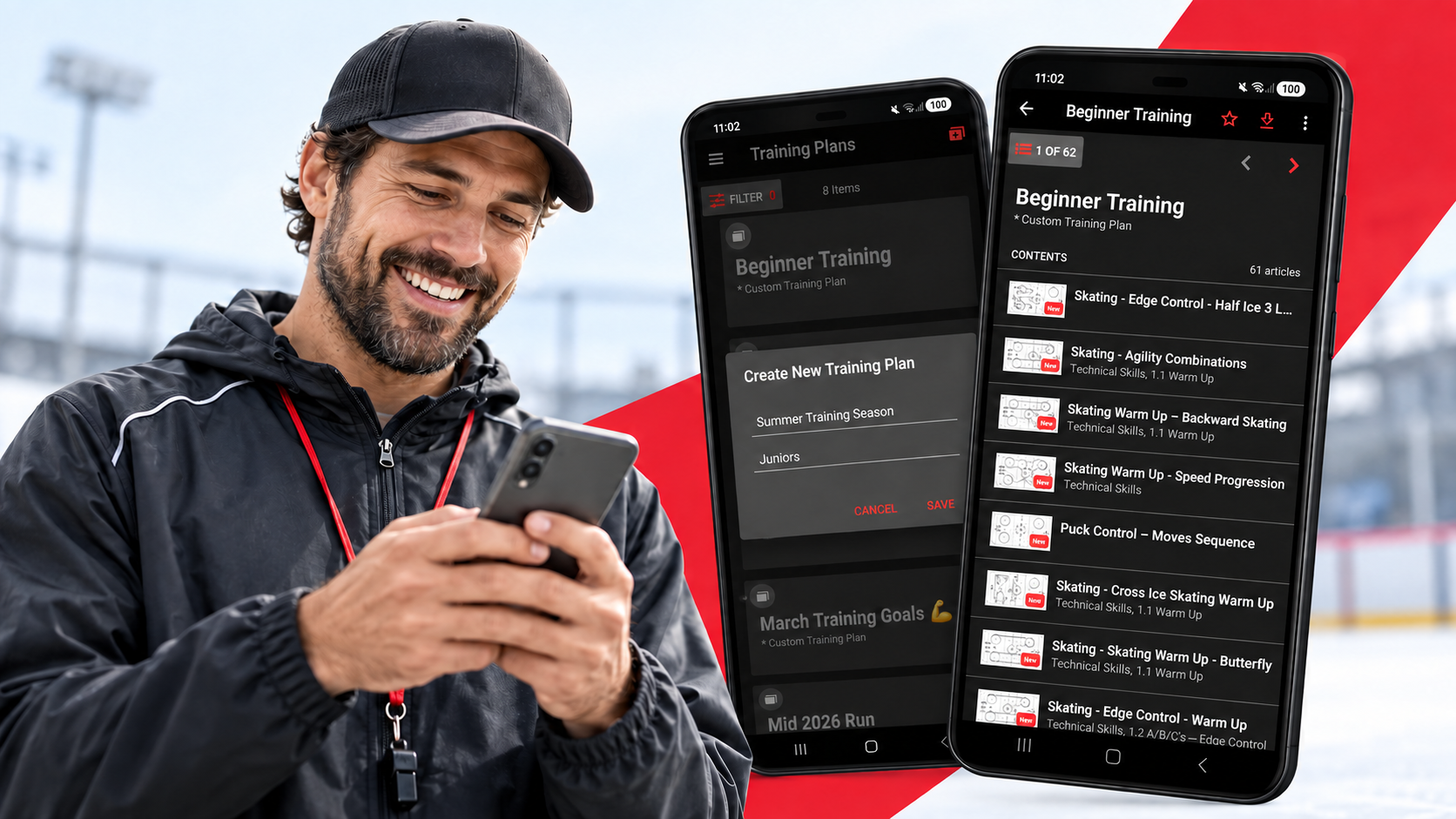
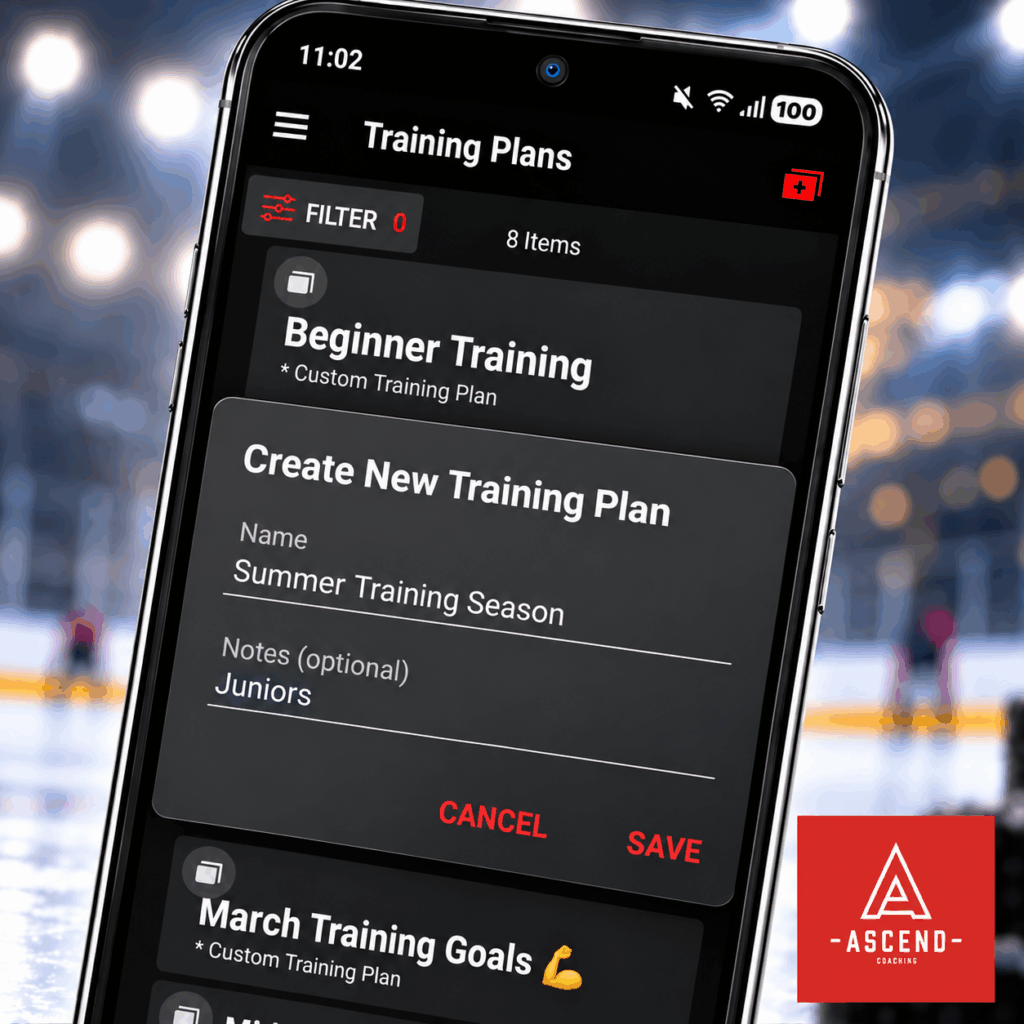
    In the Ascend app, you can create a Training Plan, give it a name that fits your team or season, and add the drills and coaching resources you want to use. Your selections stay organised in one place, making it easier to review the session before practice and find what you need while coaching.

    You might name a plan after a specific goal, such as “Defensive Positioning,” or create one for a group, such as “Junior Team: Week One.” A useful name makes the plan easier to recognise when you return to it.

    Make Room to Adapt

    Even a thoughtful plan may need to change once practice begins. Athletes might grasp a skill faster than expected, or an activity might reveal that they need more time with the basics. Weather, attendance, available space, and energy levels can also affect what works on the day.

    Having a plan gives you a starting point for those decisions. You know what you hoped to accomplish, which drills support that goal, and what you can adjust if the group needs something different. You can spend less time searching through materials and more time watching how your athletes respond.

    After practice, take a moment to reflect. Which activity helped the most? Where did athletes struggle? What would you repeat or change next time? Those observations can guide the next Training Plan and help each session build on what came before.

    Build Toward Something Bigger

    One practice can introduce a skill. A series of practices can give athletes the time and repetition to develop it. Training plans help you connect individual sessions to longer goals, whether you are preparing for a new season, supporting a developing team, or working toward a particular challenge.

    They can also make your coaching decisions easier to communicate. When you know the purpose behind each activity, you can explain to athletes what they are working on and why it matters. That sense of direction helps the whole team approach practice with intention.
    Your next session does not need a complicated plan. Start with one goal, choose a few drills and resources that support it, and give yourself room to respond to the team in front of you.

    Open Training Plans in the Ascend app and build your next coaching session. Bring your ideas together, step into practice prepared, and turn your game plan into action.

  • From Coaching Binder to Digital Coaching Library | Part 1 | Organize Before You Digitize

    From Coaching Binder to Digital Coaching Library | Part 1 | Organize Before You Digitize

    For many coaches, the coaching binder is a record of years of experience. It might contain practice plans, drills, diagrams, notes from coaching clinics, athlete resources, and ideas you’ve collected along the way.

    But over time, that binder can become difficult to manage. Pages get buried, resources become outdated, and finding the right drill can mean flipping through dozens of pages.

    Moving your coaching resources to a digital app can make them easier to access and organize. But before you start uploading everything, take some time to decide what actually belongs in your digital coaching library.

    1. Start With an Inventory

    Go through your binder section by section and make a list of what you have.

    You might find:

    • Practice plans
    • Drills and activities
    • Skill-development exercises
    • Game strategies
    • Coaching notes
    • Training schedules
    • Diagrams
    • Athlete resources
    • Course materials
    • Reference materials

    Don’t worry about organizing everything perfectly yet. The first step is simply understanding what you’re working with.

    2. Decide What to Keep

    You probably don’t need to transfer every piece of paper.

    Separate your resources into three simple groups:

    Keep: Resources you regularly use or expect to use again.

    Update: Useful resources that need changes or improvements.

    Archive: Materials you want to keep for reference but don’t need regularly.

    This is a good opportunity to get rid of duplicates and outdated information. Otherwise, you may end up replacing one cluttered binder with a cluttered digital library.

    3. Organize Based on How You Coach

    Here’s where digital organization can really make a difference.

    Think about what you usually look for when you’re preparing a practice.

    Do you search by age group? Skill? Difficulty? Training objective? Amount of time available?

    Your digital library could be organized around categories such as:

    • Age group
    • Skill level
    • Skill or objective
    • Position
    • Training type
    • Difficulty
    • Duration
    • Equipment required

    For example, instead of filing a drill under a single category called “Passing Drills,” you could identify it as:

    Passing | Intermediate | U15 | 15 minutes | Skill Development

    Now you have several ways to find it later.

    4. Create a Simple Naming System

    Digital libraries are much easier to navigate when resources have clear, consistent names.

    Compare:

    “Drill 4”

    with:

    “Passing Accuracy – Intermediate – 15 min”

    The second name immediately tells you what you’re looking at.

    Your naming system doesn’t have to be complicated. Just make sure it is consistent enough that you and other coaches can understand it at a glance.

    5. Start With What You Use Most

    You don’t have to digitize your entire binder in one weekend.

    Start with the resources you reach for most often.

    Your first batch might include:

    • Your favorite drills
    • Current practice plans
    • Frequently used skill activities
    • Resources for your current team

    Once those are organized, you can gradually add the rest.

    This approach means your digital library becomes useful immediately, rather than becoming another project that never gets finished.

    Your Binder Is the Starting Point

    Going digital isn’t about throwing away everything you’ve collected over the years.

    Your binder represents your coaching experience. The goal is to turn that experience into a resource that’s easier to search, update, and reuse.

    Before you start transferring anything, take the time to clean up, categorize, and prioritize.

    Then you’re ready for the next step: turning those paper resources into useful digital content.

    Next in the series is our Part 2
    Bring Your Resources Into the Digital World