Tag: digital tools

  • From Coaching Binder to Digital Coaching Library — Part 2: Bring Your Resources Into the Digital World

    From Coaching Binder to Digital Coaching Library — Part 2: Bring Your Resources Into the Digital World

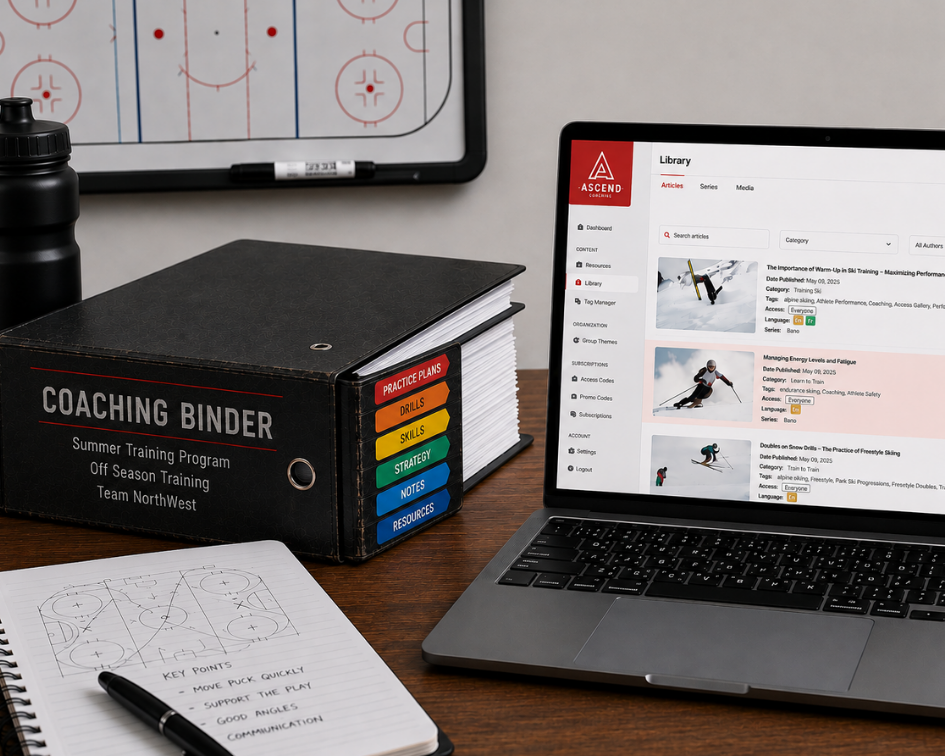
    How to Digitize Your Coaching Resources

    Once you’ve sorted through your coaching binder, the next step is moving your resources into a digital environment.

    It can be tempting to simply scan every page or take photos of your binder. But digitizing your coaching resources isn’t just about creating electronic copies of your paperwork.

    The goal is to turn your resources into content you can actually find, reuse, and adapt.

    1. Start With Your Most-Used Resources

    Don’t try to transfer everything at once.

    Start with the drills, practice plans, and resources you use most often. This gives you a useful digital library right away while allowing you to gradually transfer older materials.

    For example, start with:

    • Your top 10 drills
    • Your current practice plans
    • Your most-used skill activities
    • Resources for your current age group

    Once those are in place, you can build from there.

    2. Don’t Just Photograph the Page

    A photo of a paper drill is technically digital, but it doesn’t necessarily make the information easier to use.

    When possible, turn your resources into structured digital content.

    Instead of uploading a page that says:

    Passing Drill

    with several paragraphs of instructions, organize the information into sections such as:

    Objective: Improve passing accuracy
    Skill Level: Intermediate
    Duration: 15 minutes
    Equipment: Cones and balls
    Instructions: Step-by-step activity
    Coaching Points: What to watch for

    Now the resource is easier to understand and can potentially be reused in different practice plans.

    3. Use Tags and Categories

    One of the biggest advantages of digital resources is that you don’t have to remember exactly where something is stored.

    Use tags or categories to describe your resources.

    A single drill might be tagged:

    Passing | U15 | Intermediate | Skill Development | 15 minutes

    That gives you multiple ways to find it later.

    If you need a 15-minute activity for an intermediate U15 session, you can search based on those criteria instead of flipping through pages.

    4. Turn Practice Plans Into Reusable Resources

    Your practice plans don’t have to remain fixed documents.

    Look at each plan and identify the individual activities inside it.

    A single practice might include:

    Warm-Up → Passing Drill → Skill Development → Small-Sided Game

    Each activity can become its own reusable resource.

    That means you can take the same passing drill and use it in several different practice sessions without recreating it from scratch.

    5. Adapt Resources for Different Skill Levels

    A good activity may work for beginners, intermediate athletes, and advanced players—but the activity may need to change.

    Your digital resources can include variations.

    For example:

    Beginner: Reduce the distance and simplify the movement.

    Intermediate: Add movement and decision-making.

    Advanced: Add defenders, speed, or additional constraints.

    Instead of maintaining multiple paper copies, you can build variations into your digital resource and adapt it when needed.

    6. Build Your Digital Library Gradually

    Don’t worry about having a perfect digital library on day one.

    Think of it as a collection that grows over time.

    Every time you create a new drill, improve a practice plan, or discover a useful activity, add it to your library.

    Eventually, you’ll have something much more valuable than a digital copy of your binder: a collection of coaching resources that can be searched, adapted, and reused.

    7. Make Your Resources Work Harder

    The real benefit of digitizing your coaching resources isn’t simply having fewer papers to carry.

    It’s being able to find the right resource when you need it, adapt it for your athletes, and use it again in a different situation.

    Once your drills and practice plans are organized digitally, you can start building complete training sessions from those reusable resources.
    Next in the series: Beyond the Binder: Building a Digital Coaching System

  • Coach’s Toolkit: Reducing Group Chat Chaos with Digital Sports Coaching Tools

    Coach’s Toolkit: Reducing Group Chat Chaos with Digital Sports Coaching Tools

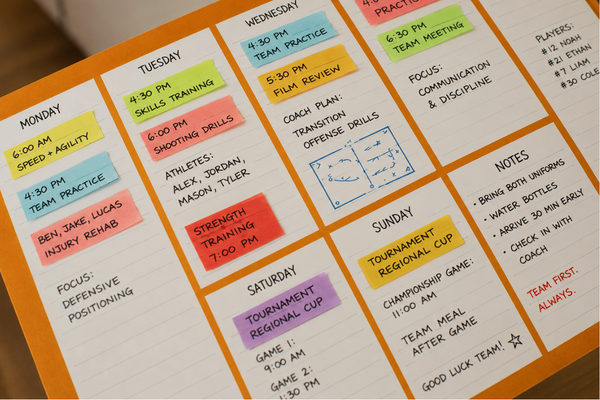
    For many youth sports teams, group chats have become the default way to communicate. Whether it’s a digital messenger, or mobile text messages, they seem like the quickest way to share practice reminders, schedule changes, and game-day updates.

    But as every coach and sports parent knows, what starts as a simple communication tool can quickly become overwhelming.

    Important announcements get buried beneath dozens of unrelated messages. Parents ask the same questions repeatedly because they missed earlier updates. Last-minute schedule changes create confusion, and coaches find themselves responding to individual messages late into the evening. Instead of saving time, group chats often create more work.

    As youth sports programs grow, communication needs become more complex. Coaches are expected to manage schedules, share resources, answer questions, coordinate volunteers, and keep parents informed—all while focusing on developing their athletes. Without the right tools, communication can easily become one of the biggest administrative challenges of coaching.

    Why Group Chats Become Chaotic

    Group messaging platforms are designed for conversation, not team management. Every new reply pushes important information further up the chat, making it difficult for parents to find what they need when they need it.

    Consider a typical week during the season:

    • A coach posts the practice schedule.
    • A parent asks about parking.
    • Another asks whether players should bring water bottles.
    • Someone shares photos from last weekend’s tournament.
    • A volunteer discusses snack assignments.

    Suddenly, the original schedule is buried under dozens of unrelated messages. By the time another parent checks the chat, they may miss key information entirely and ask a question that’s already been answered.

    Multiply this across multiple teams, tournaments, and busy family schedules, and communication quickly becomes fragmented.

    Centralizing Team Information

    Digital coaching platforms help solve this problem by giving coaches one central place to organize team information.

    Instead of searching through hundreds of chat messages, parents can access practice schedules, training plans, documents, announcements, and resources whenever they need them. Coaches update information once, and everyone sees the latest version.

    This reduces repetitive questions while giving families greater confidence that they’re working from accurate, up-to-date information.

    It also allows conversations to stay focused. Group chats can return to what they do best—quick discussions and community building—while important team information remains organized and easy to find.

    Better Communication Builds Trust

    Parents don’t expect constant updates—they simply want clear, reliable communication.

    When schedules are easy to access, expectations are clearly outlined, and resources are available in one location, uncertainty decreases. Parents spend less time chasing information, and coaches spend less time answering the same questions over and over.

    Clear communication also strengthens the relationship between coaches and families. Everyone understands practice objectives, athlete expectations, and upcoming events, creating a more collaborative environment centered on supporting young athletes.


    More Time for Coaching

    Administrative work is an unavoidable part of coaching, but it shouldn’t consume the majority of a coach’s time.

    Every minute spent scrolling through message threads or answering duplicate questions is time that could be invested in athlete development, practice planning, or building stronger relationships with players.

    Digital coaching tools streamline these routine tasks by organizing communication, reducing confusion, and making information readily available to everyone involved.

    The result is a smoother experience for coaches, parents, and athletes alike.


    Technology That Supports Development

    The best coaching technology doesn’t replace personal relationships, it strengthens them.

    When communication becomes more organized, coaches can focus on teaching, parents can better support their children, and athletes benefit from a more consistent and positive sporting experience.

    As youth sports continue to evolve, teams are discovering that successful coaching isn’t just about designing great practices. It’s also about creating systems that make communication simple, transparent, and accessible for everyone involved.

    Platforms like the Ascend Sports Coaching App are designed with this goal in mind, giving coaches a centralized space to manage schedules, share resources, organize training content, and keep families informed without relying solely on crowded group chats. By reducing communication clutter, coaches can spend less time managing messages and more time doing what matters most on the field.